
From Generic to Personal: How to Transform Your Website Using AI-Enhanced Images
When your website relies on generic stock photos and vague copy, visitors immediately sense a lack of authenticity. It’s like walking into a store that looks like every other store forgettable. This happens because stock images are often chosen without thought to brand personality, and the result is a website that fades into the background. The real issue is not the stock photos themselves, but how they’re misaligned with your story.
The solution is to approach imagery as a key part of your branding strategy. AI tools now allow you to customize stock photos integrating your logo, brand colors, and even unique elements. Instead of a generic office shot, you could have a scene that truly reflects your team and environment. By doing this, you’re no longer just filling space you’re telling your brand’s story visually.
If you want to go beyond stock, AI can also transform your own photos. Imagine a less than perfect shot perhaps a product image or a team lunch upgraded with AI. You can enhance resolution, adjust lighting, and ensure the image aligns with your polished aesthetic. This means you can maintain authenticity while elevating quality making your site feel both professional and personal.
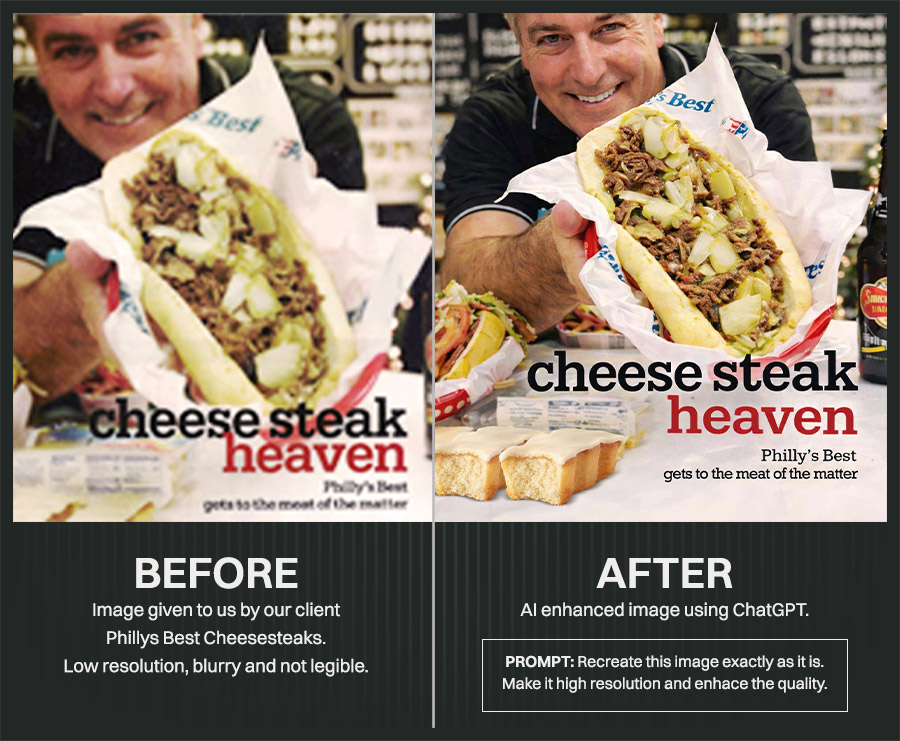
To make all this work, you’ll need to master prompting. Knowing what to ask the AI how to combine your brand elements with the right stock or original image is crucial. But once you get the hang of it, you can create a consistent, on-brand visual identity across your entire website. The result is a site that stands out not because it’s flashy, but because it feels like a genuine extension of who you are.
To achieve this transformation, you can start by using tools like ChatGPT to plan your visual strategy. First, decide whether you’ll use stock images or your own photos. If you opt for stock images, ensure they come from the same style or library, and curate them thoughtfully to maintain a cohesive aesthetic. On the other hand, if you’re using your own iPhone images, you can enhance them directly in ChatGPT integrated tools. These enhancements can elevate even average shots to polished, professional standards.
When working with stock images, the key is intentional coordination. Don’t just pick high quality images randomly make sure they complement each other in color palette, lighting, and mood. Whether it’s people, objects, or backgrounds, a consistent visual narrative helps your brand feel polished rather than patchwork.
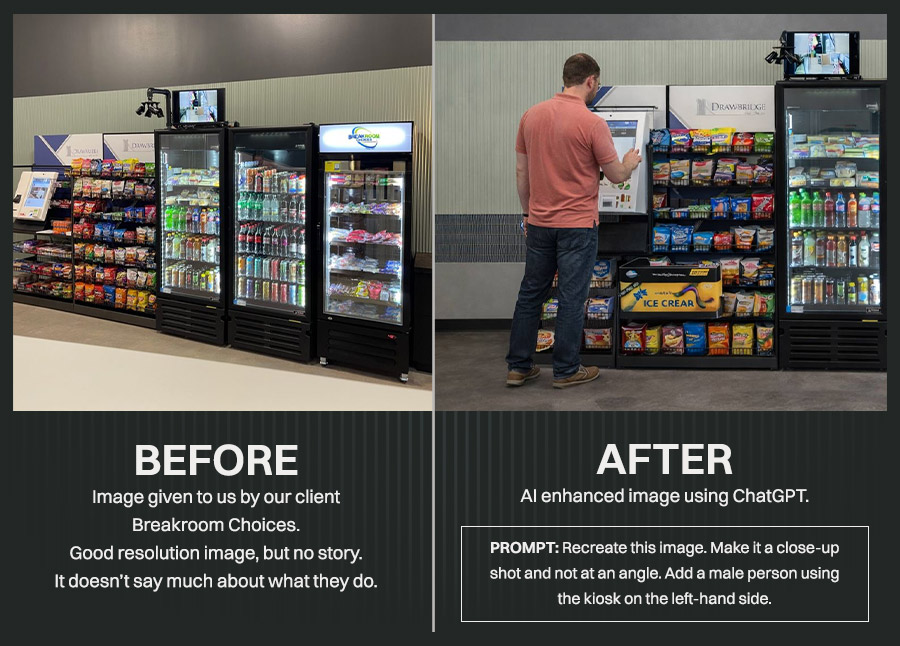
Lastly, incorporate your brand elements with intention. Whether it’s a subtle use of your brand colors, your logo appearing naturally in the scene, or consistent filters applied across all imagery each detail reinforces your identity. The goal is to ensure that, when visitors browse your site, every image feels unmistakably like you creating a seamless, trustworthy experience.
If you found this valuable, be sure to subscribe to my YouTube channel for weekly tips on web design and conversion strategies.

Discover more from Hello Heladio
Subscribe to get the latest posts sent to your email.